
← All demos 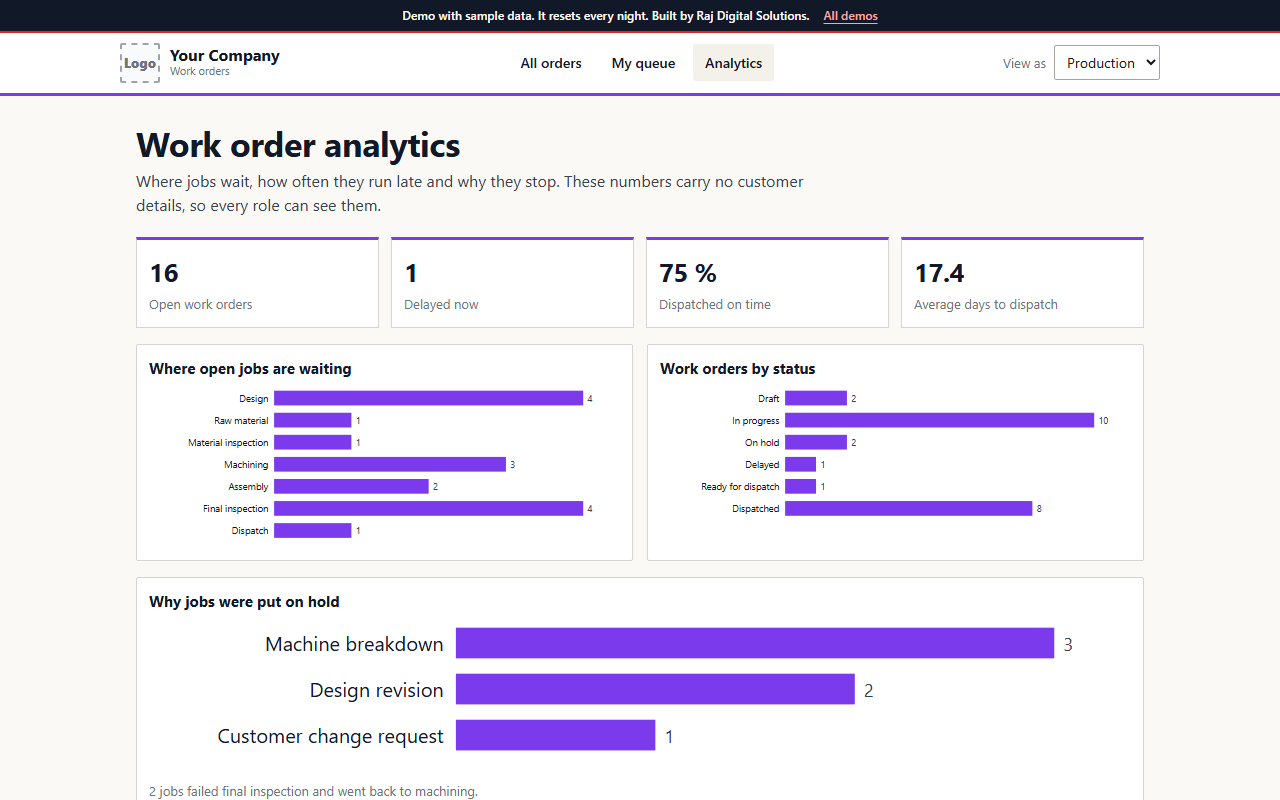
Sample portal
Work orders
Every job moves through clear stages, each team sees only its own work, and shop-floor staff never see who the customer is.
We send a code to your work email to open the demo. Sample data only.
Who uses it
- Marketing
- Design
- Purchase
- Production
- Quality control
- Observers
- Administrator
How it works
- 01 Marketing creates a work order with the part, quantity and due date.
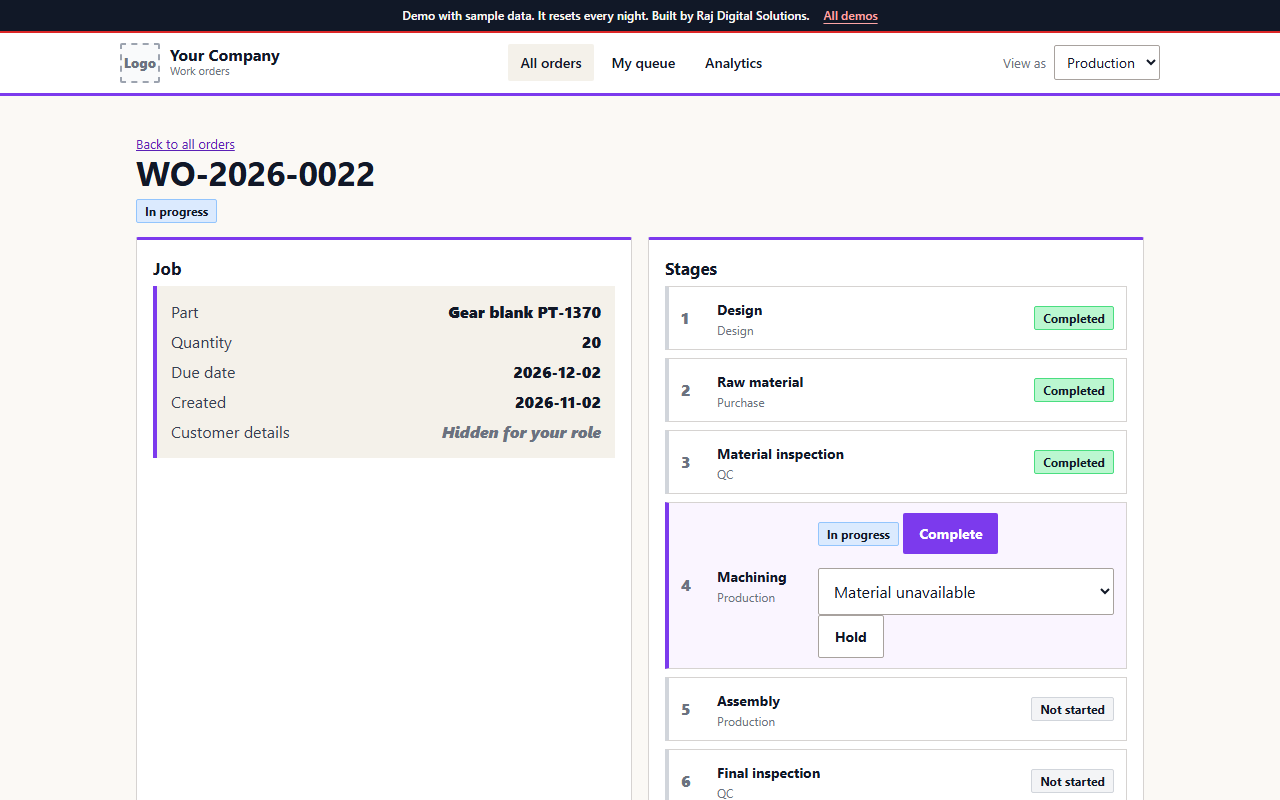
- 02 The job moves through design, material, inspection, machining, assembly, final inspection and dispatch, in order.
- 03 Each team acts only on its own stage. A hold needs a reason from a list.
- 04 If final inspection fails, the job goes back to machining with a written reason.
- 05 Marketing dispatches the finished job. The overall status is always worked out from the stages.
What you can do
- Seven stages, each owned by one team
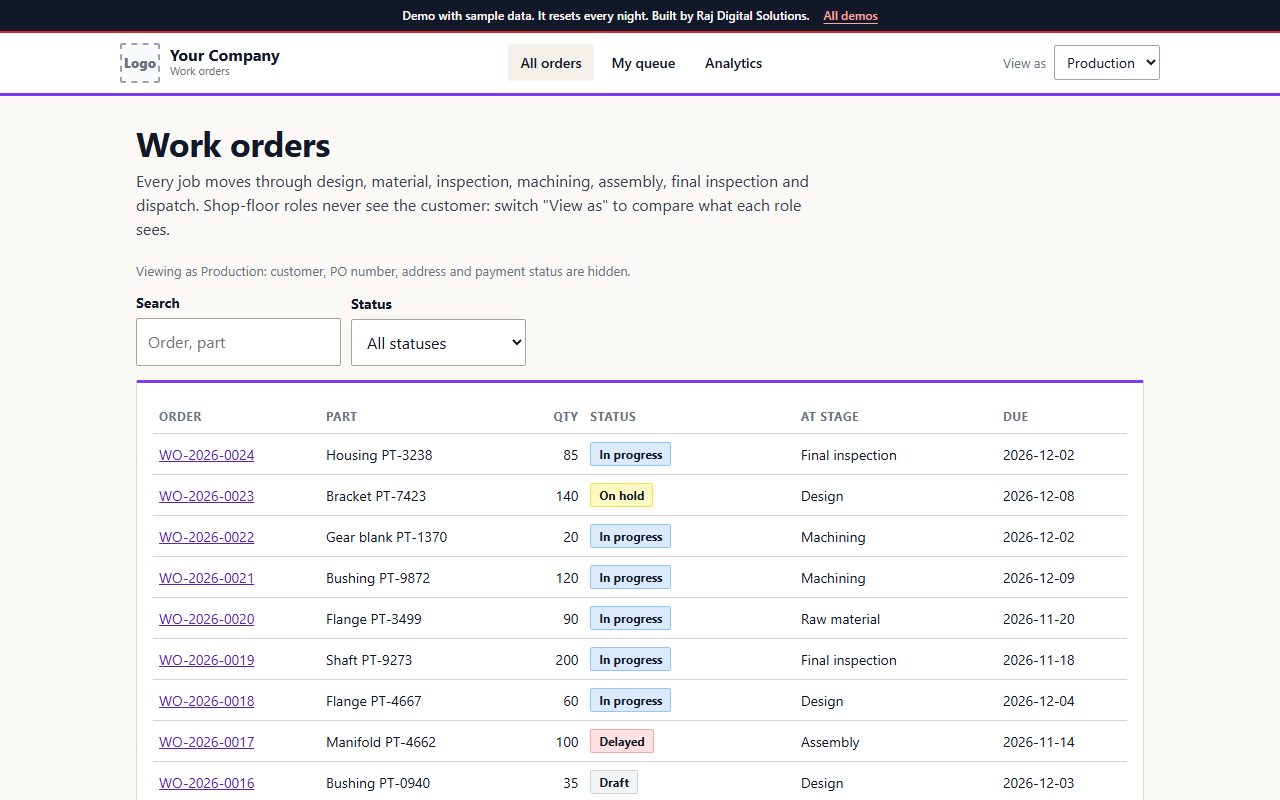
- Customer, order number and payment hidden from shop-floor roles
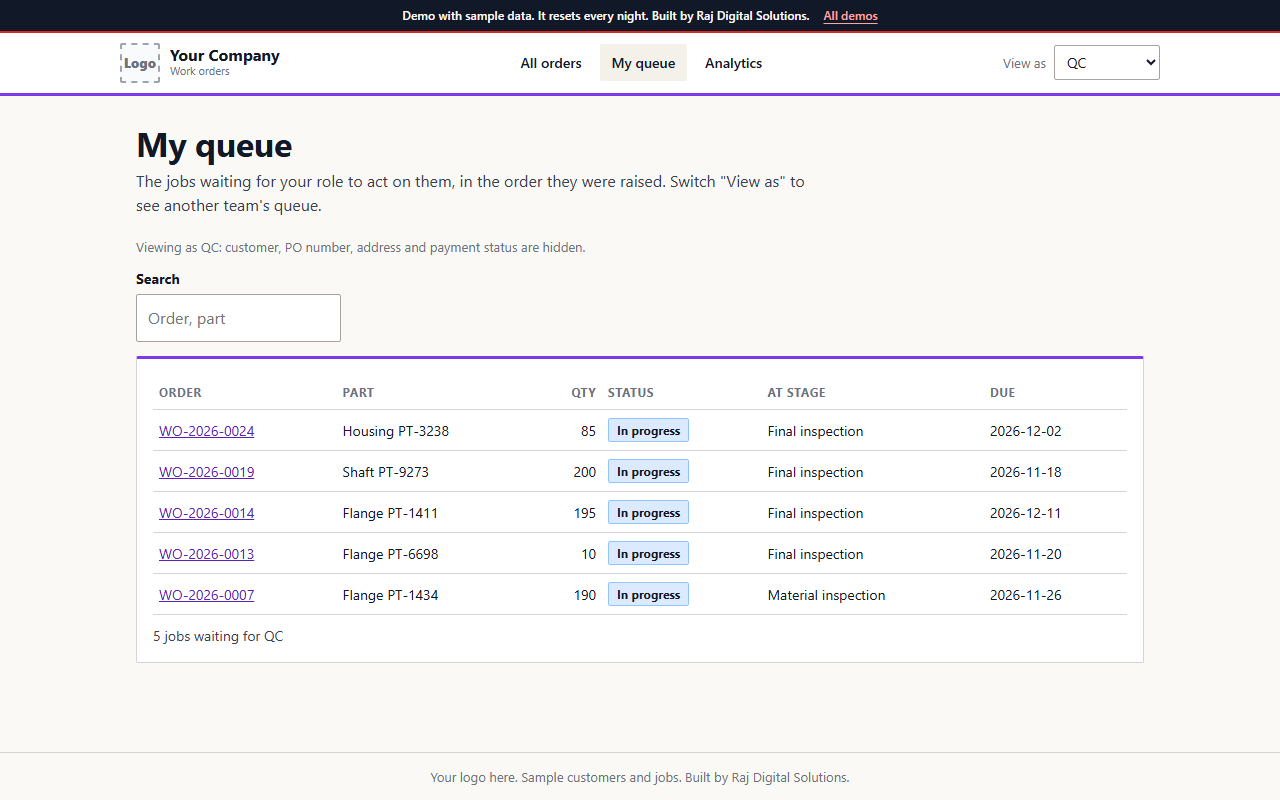
- A queue for each team showing only its jobs
- Hold reasons and rework are recorded
- Delayed jobs are flagged from the due date
- On-time rate, waiting jobs and hold reasons
Try it in the demo
- Open the list as Production, then as Marketing, and compare what each sees.
- Open "My queue" and move a job one stage.
- Open the analytics page.
The demo resets every night, so feel free to click anywhere.
Screens
Want this built around your own process? Message us on WhatsApp or call 8625808700, or write to [email protected].