
← All demos 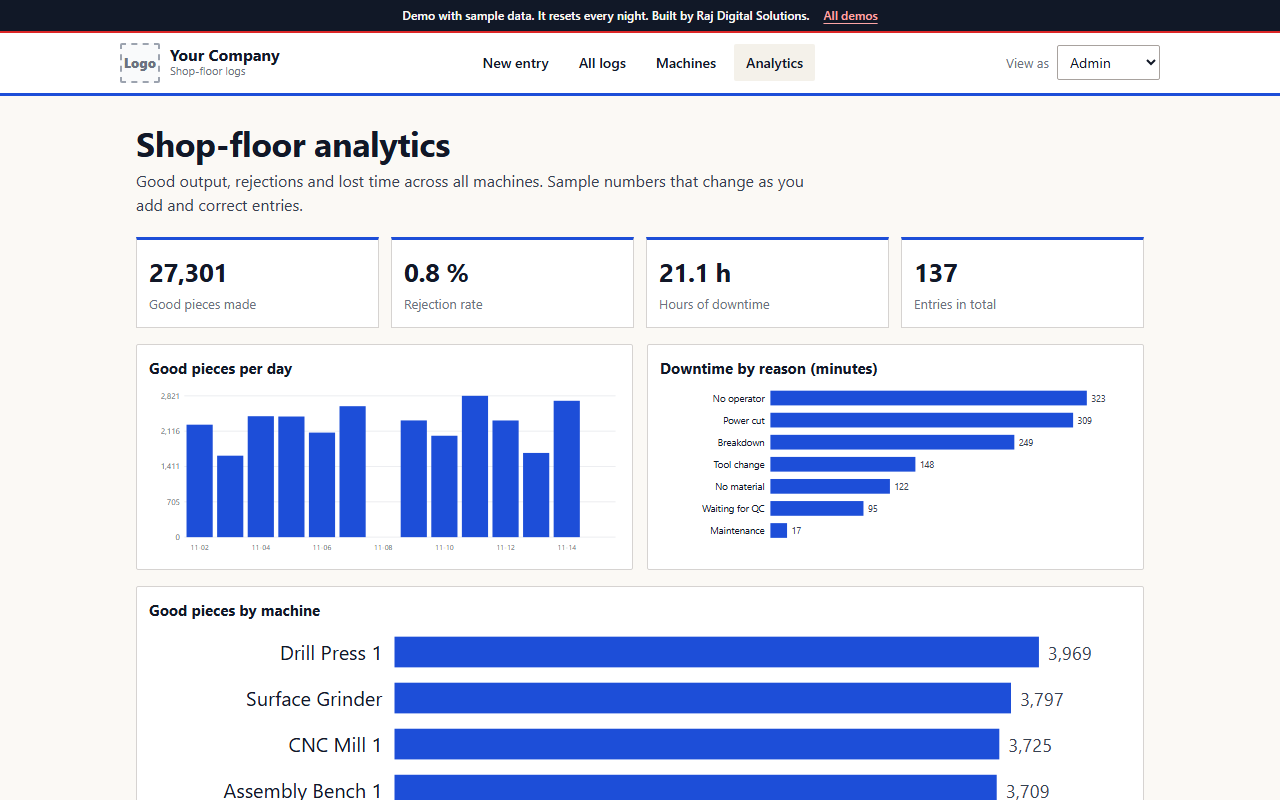
Sample portal
Shop-floor logs
Operators record what each machine made and why it stood still, and supervisors can correct entries with a full change history.
We send a code to your work email to open the demo. Sample data only.
Who uses it
- Machine operators
- Supervisors
- Administrator
How it works
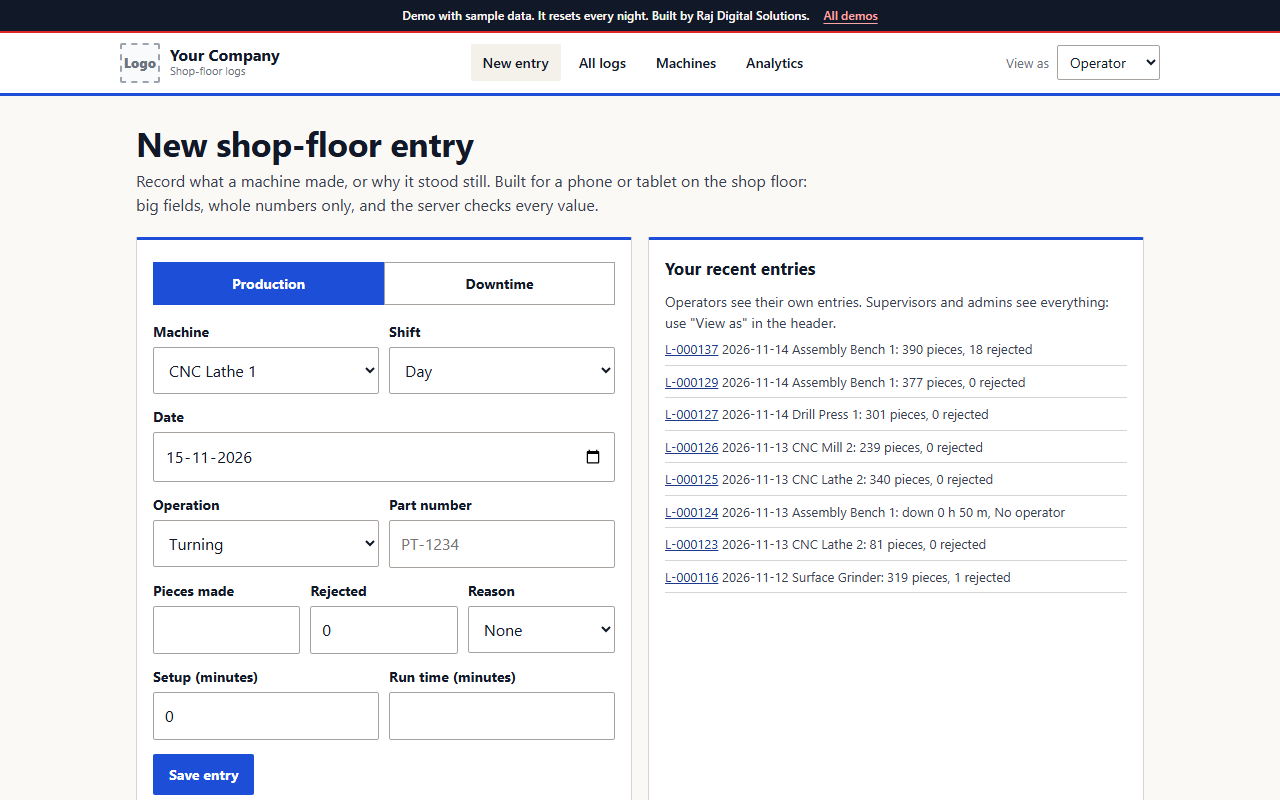
- 01 An operator picks the machine and shift, then enters pieces made, rejects and run time, or a downtime reason.
- 02 The system checks every number: whole values, rejects not above the total, and no future dates.
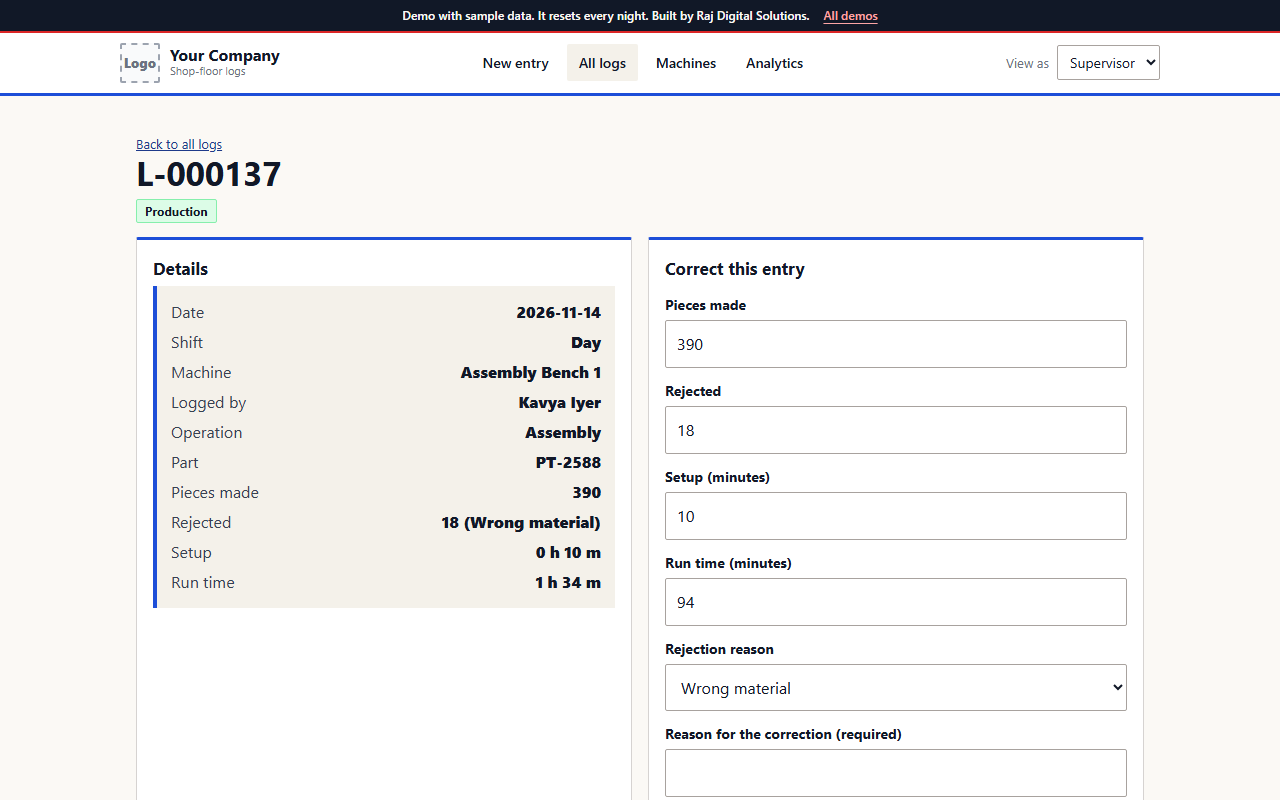
- 03 A supervisor can correct an entry, but must give a reason. The old value is kept.
- 04 An administrator can archive a wrong entry. Archived entries leave all reports.
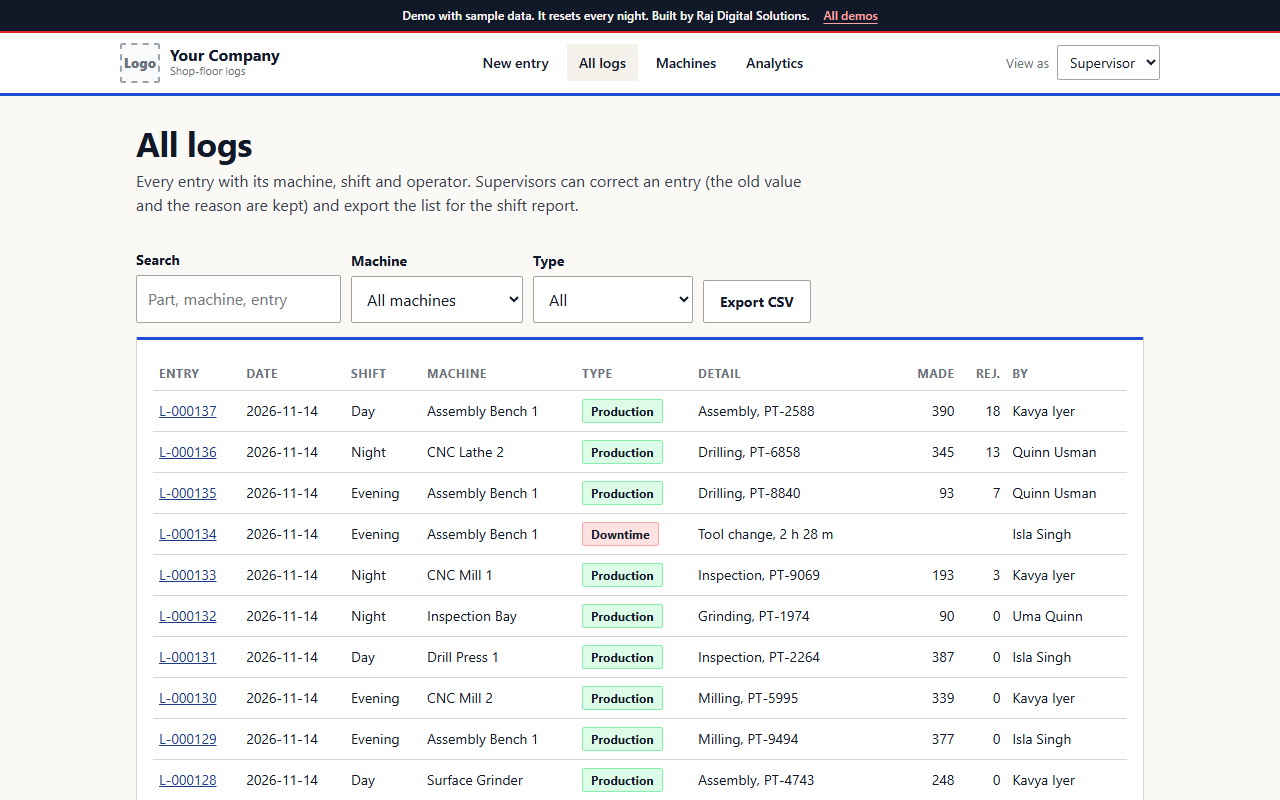
- 05 Supervisors export the log for the shift report.
What you can do
- A form made for phones and tablets
- Production and downtime entries with checked values
- A retried entry never creates a duplicate
- Corrections with a reason and a change history
- Machine list managed by the administrator
- Good output, rejection rate and downtime by reason and machine
Try it in the demo
- Add a production entry, then switch to Supervisor and correct it.
- Switch to Admin and open the Machines page.
- Open the analytics page.
The demo resets every night, so feel free to click anywhere.
Screens
Want this built around your own process? Message us on WhatsApp or call 8625808700, or write to [email protected].