
← All demos 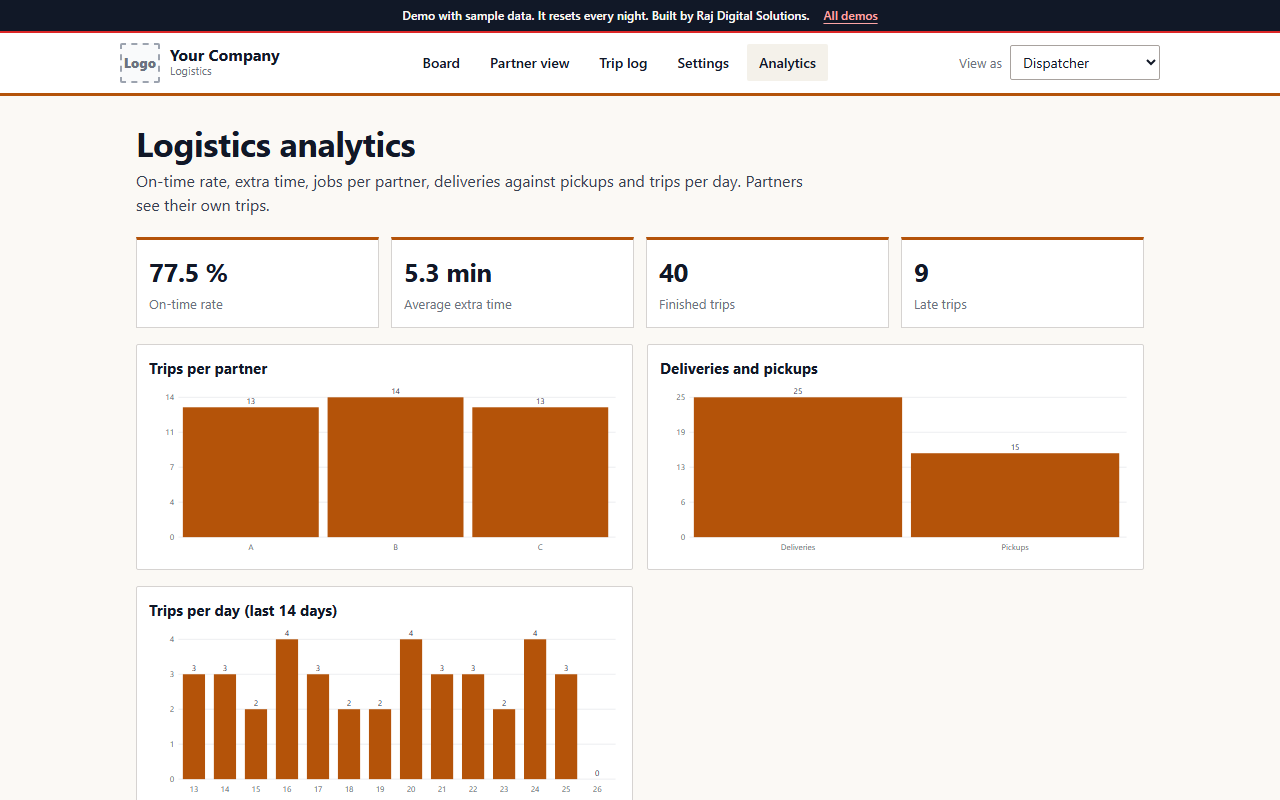
Sample portal
Delivery and pickup tracking
Dispatchers create delivery and pickup jobs, partners accept and run them from their phone, and everyone sees each trip on a live map with the real time taken.
We send a code to your work email to open the demo. Sample data only.
Who uses it
- Dispatchers
- Delivery partners
- Administrators
How it works
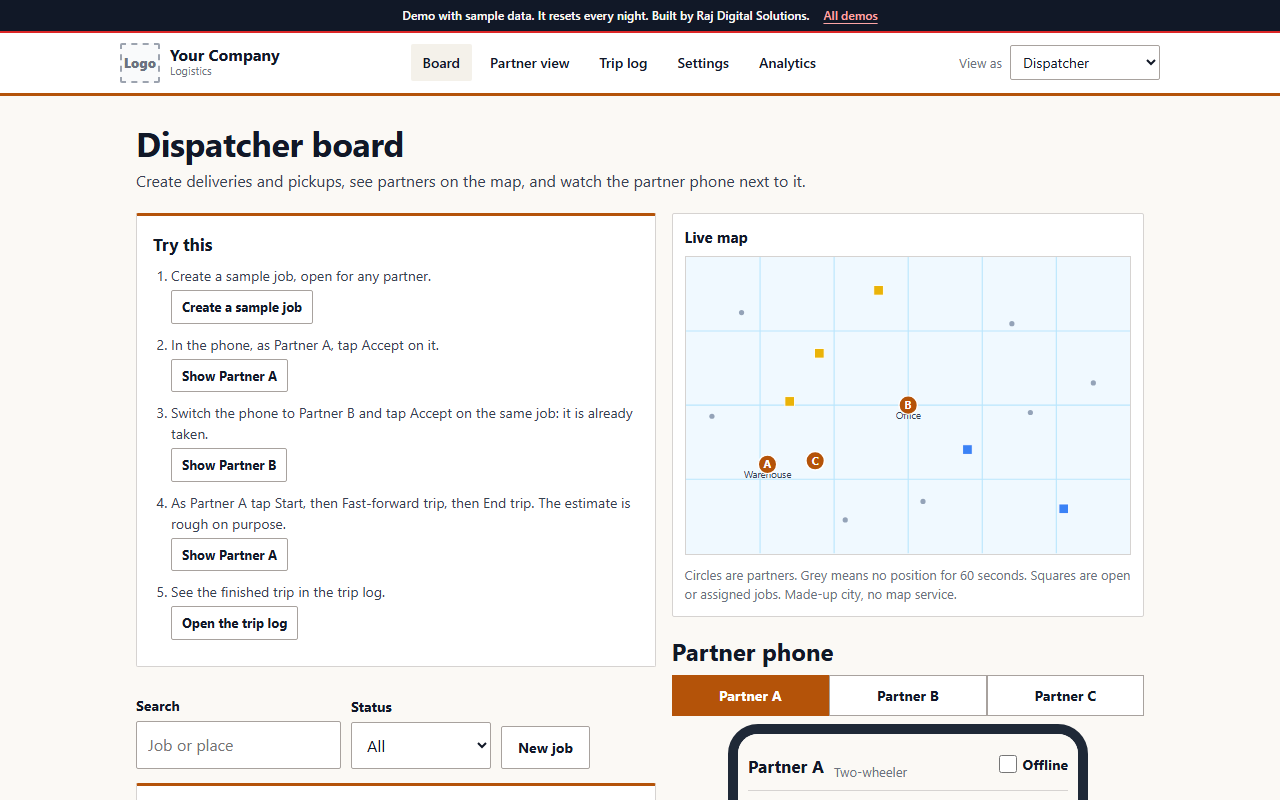
- 01 A dispatcher creates a delivery or pickup job with its items and destination, and assigns it or leaves it open.
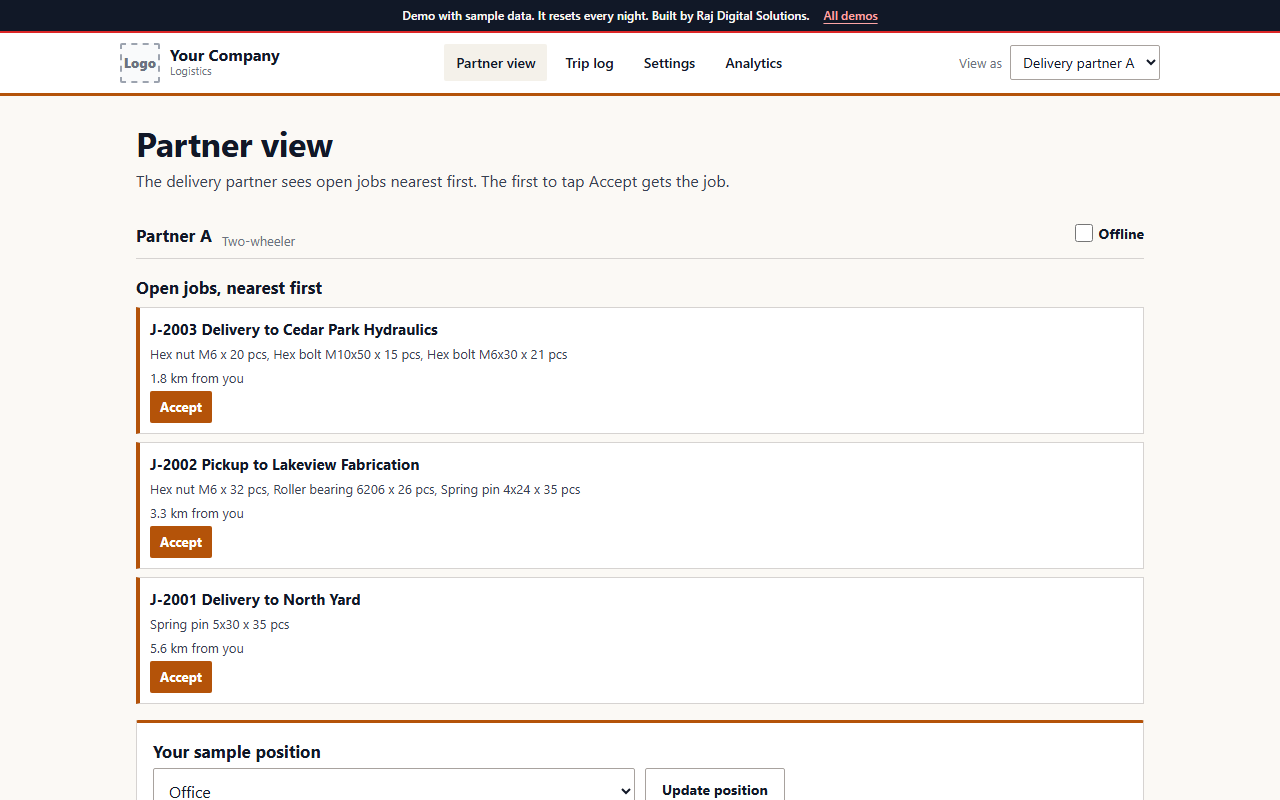
- 02 Partners see open jobs nearest first. The first partner to accept gets the job.
- 03 At Start the system gives a rough time estimate, and the partner's position moves on the map during the trip.
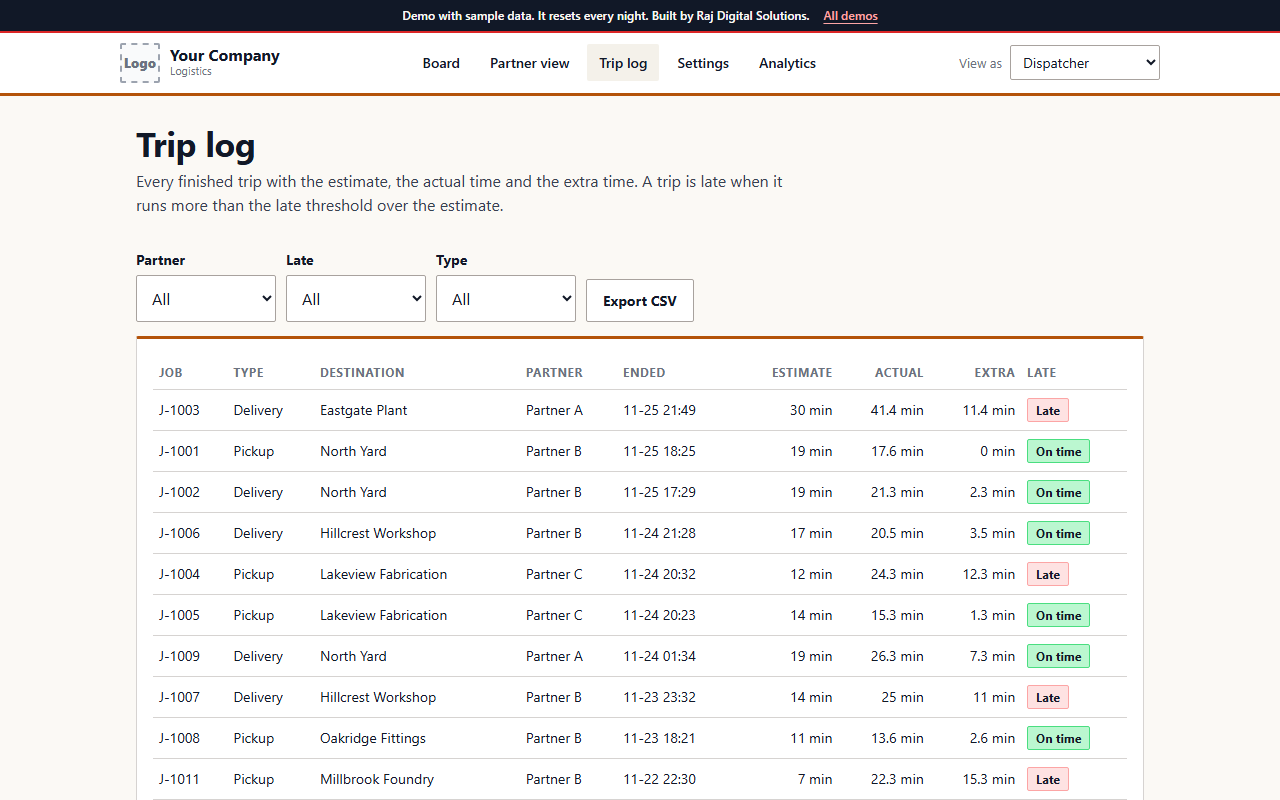
- 04 At End the actual time is recorded. A trip that takes more than 10 minutes over the estimate is marked late.
- 05 Changes while a partner is on the way show as an urgent note on the partner's screen until they tap "Seen".
What you can do
- Job board with a create form and a live map
- Partner view made for the phone, with an offline mode
- First partner to accept gets the job, one active trip each
- Time estimate, late trips and extra time recorded
- Trip log with filters and a spreadsheet download
- On-time rate, extra time and jobs per partner on one analytics page
Try it in the demo
- Create a job as the dispatcher and accept it as Partner A.
- Accept the same job as Partner B and see it refused.
- Start the trip, fast-forward it and end it, then open the trip log.
The demo resets every night, so feel free to click anywhere.
Screens
Want this built around your own process? Message us on WhatsApp or call 8625808700, or write to [email protected].