
← All demos 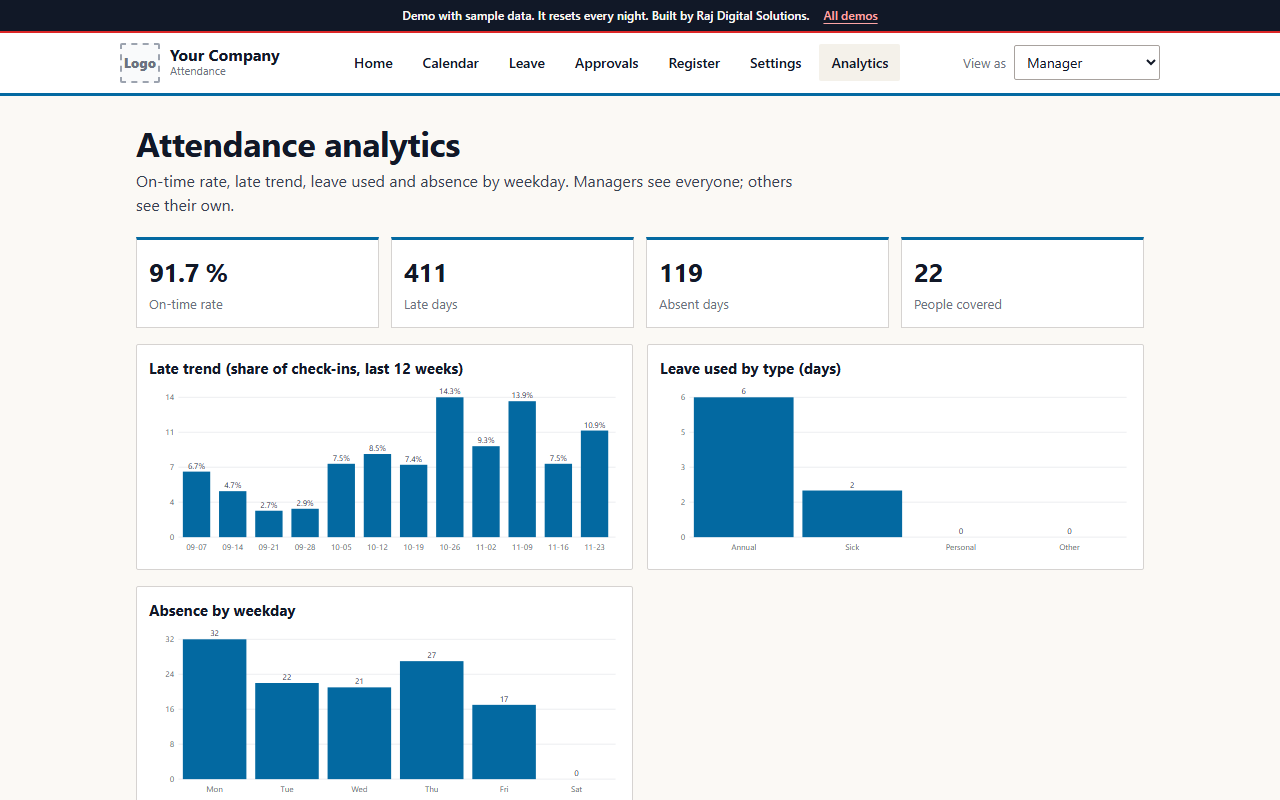
Sample portal
Attendance and leave
Staff check in from the office with a location check, apply for leave in a few taps, and managers get an honest monthly register without chasing anyone.
We send a code to your work email to open the demo. Sample data only.
Who uses it
- Employees
- Shop-floor workers
- Managers
- Administrators
How it works
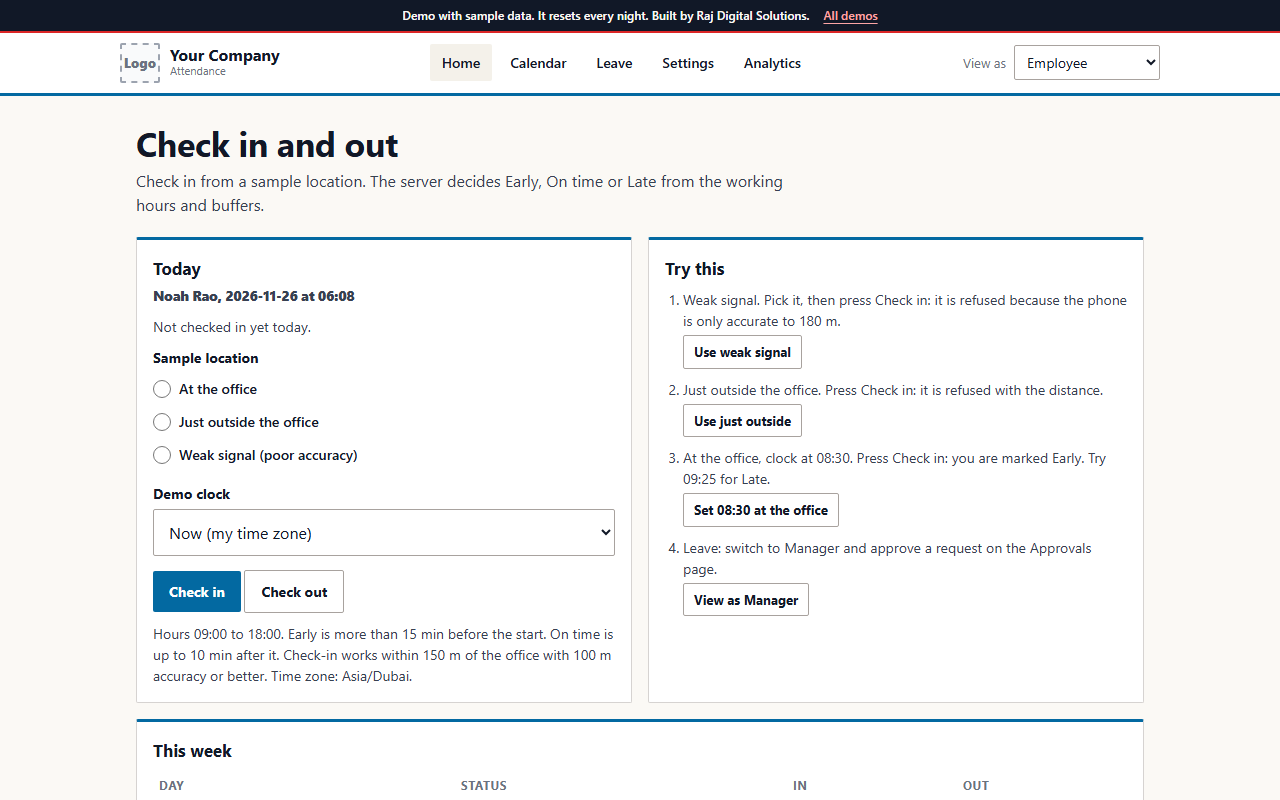
- 01 An employee checks in at the office. The check-in works only near the office and with a location that is accurate enough.
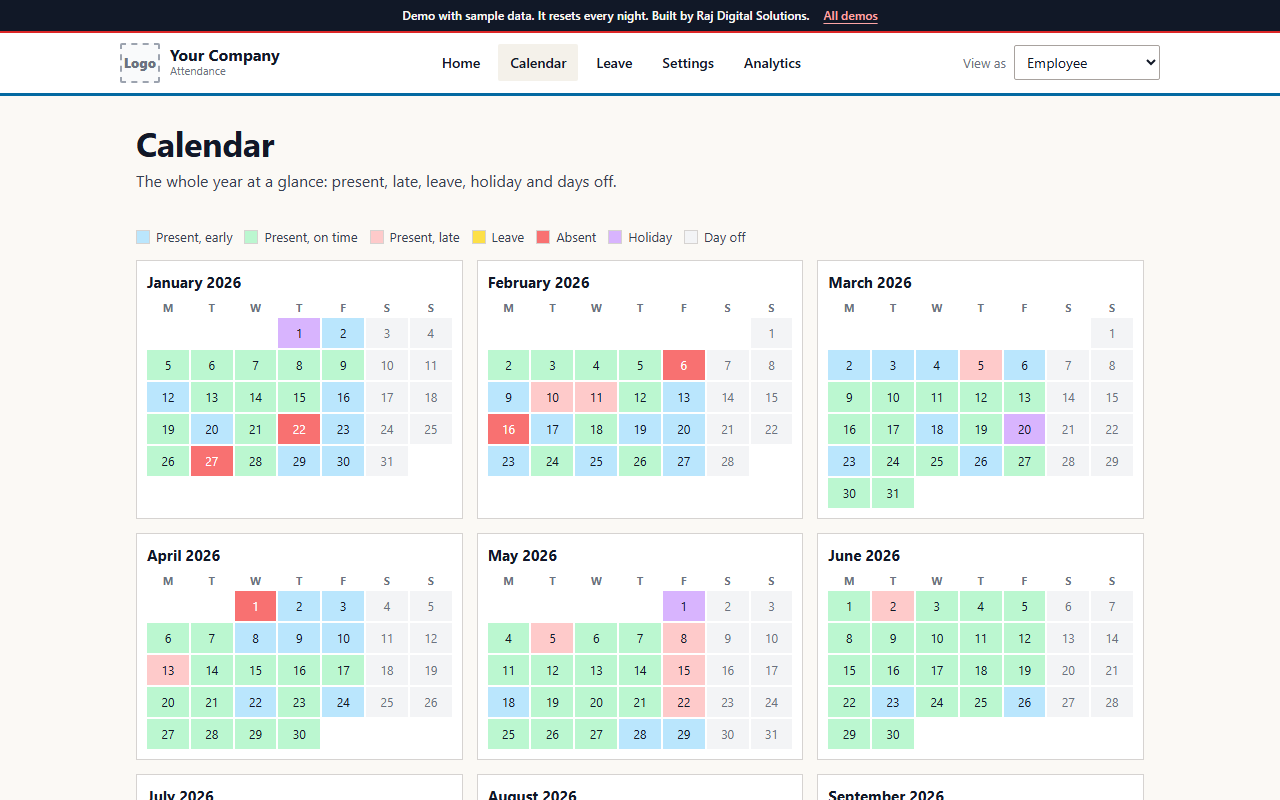
- 02 Arrival is marked early, on time or late against the working hours, and check-out comes after check-in.
- 03 Leave is applied for a full day, half a day or a few hours. Weekly offs and holidays are not counted.
- 04 A manager approves or rejects leave with an optional note. Decided leave is final.
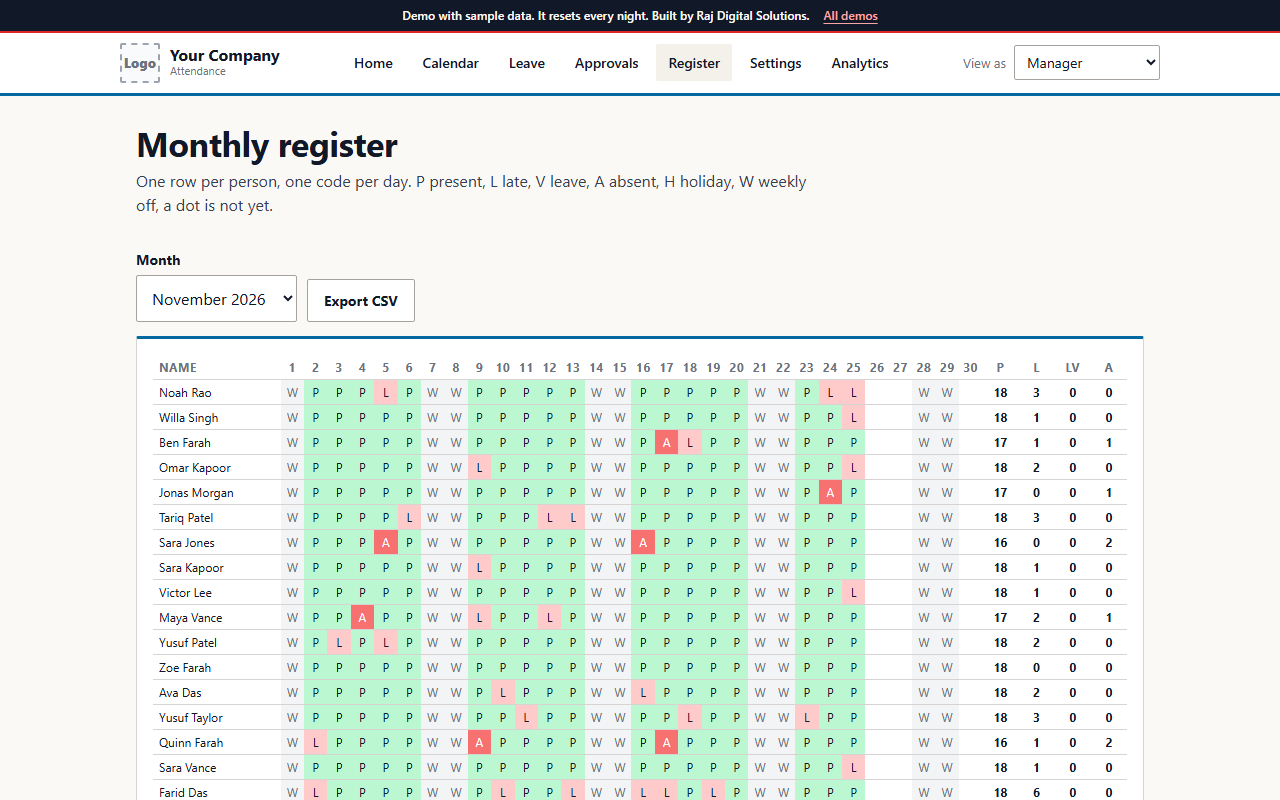
- 05 Managers see the monthly register with one code per person per day and download it as a spreadsheet.
What you can do
- Check-in only near the office, with a clear reason when it is refused
- Early, on time and late worked out from your working hours
- Planned and unplanned leave, half days and hours
- Leave approval with notes and a full history
- Monthly register with totals and a spreadsheet download
- Holidays, shop-floor workers and settings managed by role
Try it in the demo
- Check in as the employee at 09:25 and see it marked late.
- Try checking in from "Just outside" and read the reason it is refused.
- Apply for leave, then switch to Manager and approve it.
The demo resets every night, so feel free to click anywhere.
Screens
Want this built around your own process? Message us on WhatsApp or call 8625808700, or write to [email protected].